Get the Ani-Pin App

The app is your command center. Use it to connect your pin, upload images, manage your gallery, and update firmware.

Scan QR Code

  1. Press the Bluetooth button on your Ani-Pin to show the QR code.
  2. Scan the QR code with your phone camera.
  3. Or scan the QR code below to open the download page.
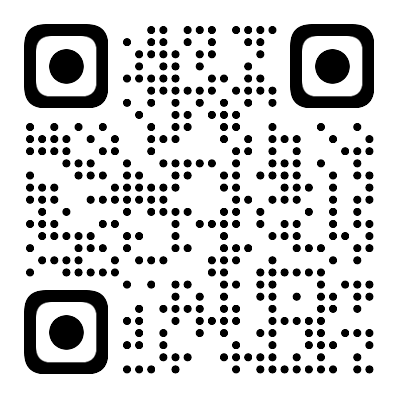
Ani-Pin app download QR code
Open Download Page

Google Play Store

Search "Beambox" in the Google Play. If Google Play is unavailable to you, scan the QR code to go directly to the APK download link.

Open in Google Play

Apple App Store

Search "Beambox" in App Store.

Open in App Store

App Features

Everything you need to control your Ani-Pin

Easy Pairing

Connect your Ani-Pin to your phone in seconds with simple Bluetooth pairing.

Image Upload

Upload GIFs, images, and animations directly from your phone's gallery.

Gallery Management

Organize your images into collections and switch between them instantly.

Display Settings

Adjust brightness, animation speed, and display duration to your preference.

Firmware Updates

Keep your Ani-Pin up to date with the latest features and improvements.

Battery Monitor

Check your Ani-Pin's battery level and get charging reminders.

Installation Guide

Follow these simple steps to install the Ani-Pin app

1

Press the Bluetooth Button

Press the Bluetooth button on your Ani-Pin. A QR code will appear on the device screen.

2

Scan the QR Code

Scan the QR code with your phone camera to open the download link. If needed, scan the QR code shown on this page.

3

Install & Open

Follow the link instructions to install the Ani-Pin app, then open it to connect your device.

4

Launch and Pair

Open the Ani-Pin app, turn on your Ani-Pin device, and follow the in-app instructions to pair via Bluetooth.

Important Note

Since this is a direct APK installation, your device may show a security warning. This is normal for apps installed outside the Play Store. The Ani-Pin app is safe and does not contain any malicious code.

System Requirements

Android Requirements

  • Android 7.0 (API level 24) or higher
  • Bluetooth 4.0 or higher
  • 50 MB free storage space
  • Camera access (for image upload)
  • Location permission (for Bluetooth pairing)

iOS Requirements

  • iOS 12.0 or higher
  • Bluetooth 4.0 or higher
  • 50 MB free storage space
  • Camera access (for image upload)
  • Compatible with iPhone 6s and newer

Need Help?

Having trouble with the installation or app setup? We're here to help.